Notice. New forum software under development. It's going to miss a few functions and look a bit ugly for a while, but I'm working on it full time now as the old forum was too unstable. Couple days, all good. If you notice any issues, please contact me.
Grogster Admin Group Joined: 31/12/2012 Location: New ZealandPosts: 10071
Posted: 05:54am 25 Aug 2026
Copy link to clipboard
Print this post
Just upgraded to LMDE7, and that all went smoothly enough, but now MMEdit won't run.
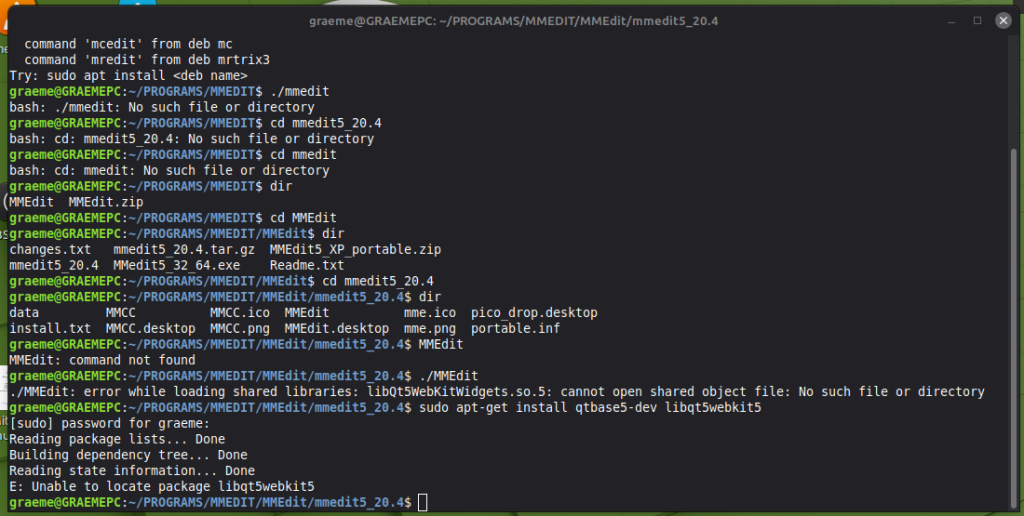
Trying to run it from the terminal, revealed that the libraries that MMEdit needs, were obviously removed during the upgrade.
I tried to add them back in the usual way, but LMDE7 reports that one of the packages no longer seems to exist. Any ideas?
Is there a specific repository I should be including? It's just the default LMDE7 ones at the moment.Smoke makes things work. When the smoke gets out, it stops!
TassyJim Guru Joined: 07/08/2011 Location: AustraliaPosts: 6624
Posted: 08:16am 25 Aug 2026
Copy link to clipboard
Print this post
Linux doesn't believe in being backwards compatible.
Try sudo apt-get install qtbase5-dev (without the webkit)
And download the latest version of MMEdit.
In the latest version, I changed the way the help is displayed to avoid the need for the webkit library. It now uses the default web browser (hopefully).
I forgot to remove the webkit from the install instructions.
JohnS Guru Joined: 18/11/2011 Location: United KingdomPosts: 4389
Posted: 09:42am 25 Aug 2026
Copy link to clipboard
Print this post
It always used to do. The kernel people still do. The longer-term savvy users do. Some of the ex-Windows people or ex-Windows users or just dumb newbies have sometimes fouled things up. It's a great pity but can often be worked around (some links or even AppImage etc).
John Edited 2026-08-25 19:42 by JohnS
TassyJim Guru Joined: 07/08/2011 Location: AustraliaPosts: 6624
Posted: 09:55am 25 Aug 2026
Copy link to clipboard
Print this post
I definitely qualify for the "just dumb newbies have sometimes fouled things up"
JohnS Guru Joined: 18/11/2011 Location: United KingdomPosts: 4389
Posted: 11:03am 25 Aug 2026
Copy link to clipboard
Print this post
It's the shared objects/libraries which have too often lost their way, sadly it's often the GUI stuff. Newer versions are meant to be 100% compatible with existing code. Any new entry points (APIs) should be added later in the order of existing ones and so on. Nothing rocket science about this but hey.
The S/N of too many forums has also been ruined.
Er, not really relevant to MMEdit except people foul things up for it.
John Edited 2026-08-25 21:04 by JohnS
PhenixRising Guru Joined: 07/11/2023 Location: United KingdomPosts: 2098
Posted: 12:53pm 25 Aug 2026
Copy link to clipboard
Print this post
John, check your PM
Grogster Admin Group Joined: 31/12/2012 Location: New ZealandPosts: 10071
Posted: 11:17pm 25 Aug 2026
Copy link to clipboard
Print this post
Hi chums.
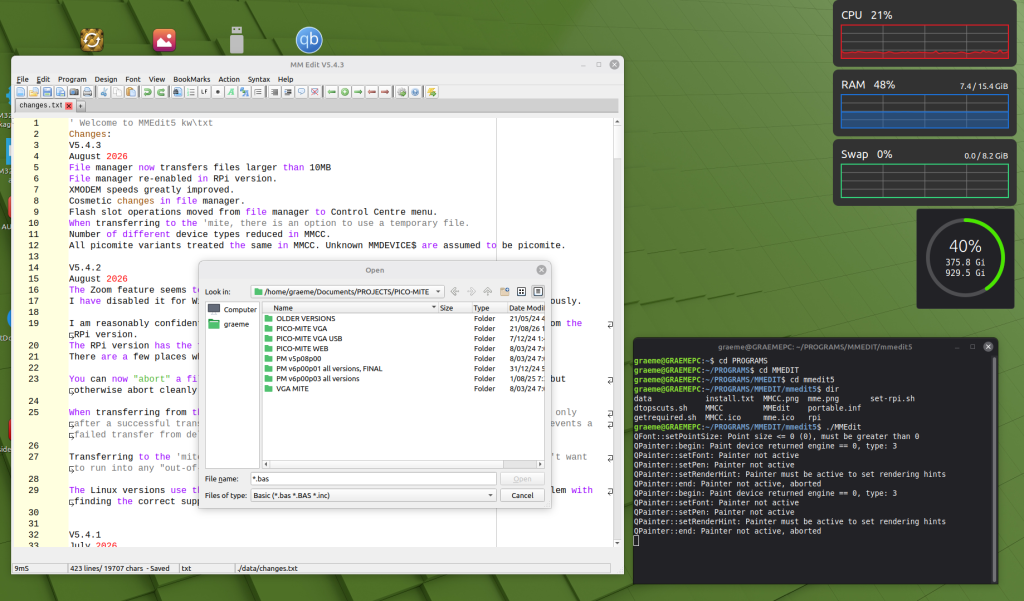
Downloaded MMEdit5, and this one when I try to run it, I get a blank window for about 1 second, then it closes.
Back to the terminal....
I CAN start it from the terminal, but NOT by just double-clicking the file itself.
Once open, everything seems to work, BUT if I close the terminal, MMEdit also closes.
I think I'm on the right track though, so it must just be some simple configuration thing at this point.
Back to you, Jim!
I'm starting to like the Linux terminal. I used to be terrified of it. I'm now very respectful of how powerful it it, but not terrified of it any more. The more Linux I learn, the more confident I get, I suppose. I like how if something simply won't start in Linux, you can try to run it from the terminal, and you get some error messages as to why. A GUI type message box would be nicer, but hey - this works just as well.
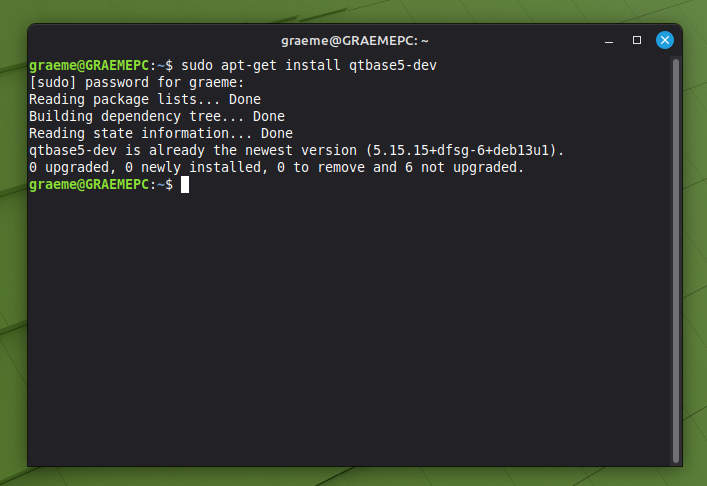
EDIT: Checked for the latest qtbase5-dev, and LMDE7 reported I already have the latest version installed.
Edited 2026-08-26 09:31 by GrogsterSmoke makes things work. When the smoke gets out, it stops!
TassyJim Guru Joined: 07/08/2011 Location: AustraliaPosts: 6624
Posted: 11:41pm 25 Aug 2026
Copy link to clipboard
Print this post
Did you make desktop shortcuts? You may have better luck that way. dtopscuts.sh
Grogster Admin Group Joined: 31/12/2012 Location: New ZealandPosts: 10071
Posted: 02:16am 26 Aug 2026
Copy link to clipboard
Print this post
I just copied the file to the desktop and tried to run it from there.
I think that was my mistake.
Just now, I created a new "Launcher" type shortcut, and placed that on the desktop and pointed it to the MMEdit file, and now it starts up just fine. Smoke makes things work. When the smoke gets out, it stops!
TassyJim Guru Joined: 07/08/2011 Location: AustraliaPosts: 6624
Posted: 02:24am 26 Aug 2026
Copy link to clipboard
Print this post
Good to see it working for you. I created the bash script to make it easier to create the desktop shortcuts but doing it yourself gets things the way you want them.
Grogster Admin Group Joined: 31/12/2012 Location: New ZealandPosts: 10071
Posted: 06:14am 26 Aug 2026
Copy link to clipboard
Print this post
I don't mind these kinds of Linux hiccups. So long as nothing serious.
Little hiccups are useful, cos I learn from each one, and get better at Linux over time.
I've been running LMDE6(now 7) since October last year, when my W10 machine ran out of support. Yes, I could have signed up for the extended security update thing, but by the time MS made that an option, I had already moved everything over, so....
I have moved my chum onto Mint, cos he has seen my setup, and is still on Win8.1 and on the net, and I don't think Win8 has had security updates in ages, so....
Tried to install Google Chrome browser(cos that is the browser he likes), and installing it via the GUI failed, but sudo apt install ./{DEB file} worked perfectly. The GUI attempt moaned about unsatisfied dependencies - which reads like some kind of child-support clause, but install it from the terminal - done. Smoke makes things work. When the smoke gets out, it stops!
KeepIS Guru Joined: 13/10/2014 Location: AustraliaPosts: 2282
Posted: 09:46pm 26 Aug 2026
Copy link to clipboard
Print this post
FYI, I could never get MMEdit to run in the past due to dependencies, however with the latest version, it appears to run perfectly on my system: Linux MX-25_2 Kernel 7.1.9-1 x64 Inifity, Liquorix-amd64 x86_64.
Ran first go from the Install directory, obviously like most things, you need a launcher with resolved paths to launch from the desktop or Menu, a really nice update.NANO:Inverter V 8.4ks - Linux AvrDude GUI script V4.1
Grogster Admin Group Joined: 31/12/2012 Location: New ZealandPosts: 10071
Posted: 12:04am 27 Aug 2026
Copy link to clipboard
Print this post
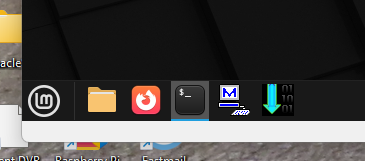
I used the icon file in the ZIP, so that the launcher icon on the desktop, has the official MMEdit icon for it, but when I open MMEdit, the icon on the panel stays as the default launcher icon.
Anyone know how to change that?
That's not an MMEdit specific issue, I have other launchers that have a selected icon graphic, but when they're open, they all show up on the panel with the default launcher icon, not the one selected for the desktop icon.
Not an issue really, but I would like to know how to change that if possible.
For example - GFXterm shows up on the panel with the green ">_" icon, and other panel icons are also whatever they are, so there must be a way to do this, but I have not found out how yet! Smoke makes things work. When the smoke gets out, it stops!
KeepIS Guru Joined: 13/10/2014 Location: AustraliaPosts: 2282
Posted: 12:33am 27 Aug 2026
Copy link to clipboard
Print this post
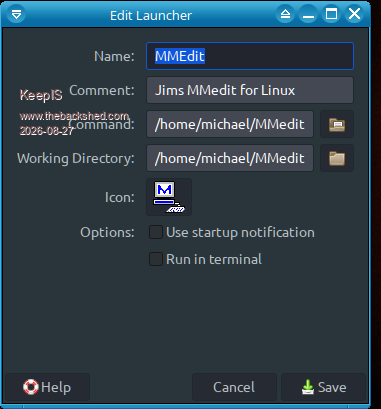
The Launcher in MX is below, navigate to the icon, select, and it always works, afraid I can't be of any help with why LM is having an issue.
Volhout Guru Joined: 05/03/2018 Location: NetherlandsPosts: 6185
Posted: 06:24am 27 Aug 2026
Copy link to clipboard
Print this post
Hi Grogster,
The desktop file is typically placed in the folder /usr/local/applications in a linux system. You need root access to put it there. When the file is "understood" by the OS (syntax) it will show up in the menu, and can be placed on the desktop. Apparently the syntax is okay, becuase you can see MMEdit in the menu.
When the icon file is not found (path incorrect) the default icon will be shown (different per OS and per icon set). Similar, when the graphics format of the icon is not recognized (i.e. TIFF, where TIFF is not supported by this version of OS).
Since it worked on LMDE6, I am sure the graphics format is okay. So the problem must be in the path towards the icon file.
Possible solution: locate the icon files (the folder where MMEdit resides) browse in the graphical file manager to the folder /usr/local/applications make sure the files MMEdit.desktop is in this folder right click, and select "open in terminal" in the terminal type "sudo nano MMEdit.desktop" change the path to the desktop icon file type control-O (write) control-X(exit)
Volhout
P.S. make sure there is no <space> (chr$(32)) in the path name. Very usable in windows, not in linux. If needed, rename the folder/file that contains a <space> before doing above edit. Edited 2026-08-27 16:26 by VolhoutPicomiteVGA PETSCII ROBOTS
Grogster Admin Group Joined: 31/12/2012 Location: New ZealandPosts: 10071
Posted: 06:30am 27 Aug 2026
Copy link to clipboard
Print this post
No, it didn't. I had the same problem in LMDE6, but since the upgrade to LMDE7, this issue was just brought to my attention again while I tinkered with other things. Smoke makes things work. When the smoke gets out, it stops!
TassyJim Guru Joined: 07/08/2011 Location: AustraliaPosts: 6624
Posted: 07:37am 27 Aug 2026
Copy link to clipboard
Print this post
Not many users use the script I provided (dtopscuts.sh) It assumes the archive was extracted to a folder under /home/user/ The info I based my install script on placed the .desktop file directly onto the desktop: /home/jim/Desktop/MMEdit.desktop
One application I use places it's .desktop files: /home/jim/.local/share/applications/MMEdit.desktop
Either seems to work and don't need any extra permissions.
I tried to find a reliable way to get MMEdit icons into the menus. On my Mint Mate, Using the menu editor, I can see the icons in edit mode but when I exit, the icons are not there, just some generic image.
I can edit the properties of the executables and give them the icon but that doesn't flow into the menu.
TassyJim Guru Joined: 07/08/2011 Location: AustraliaPosts: 6624
Posted: 12:48am 28 Aug 2026
Copy link to clipboard
Print this post
@Grogster,
Extract the attached .sh file and put it in the MMEdit program folder, replacing the one that is there. You will probably have to make it executable. Run it.

 Notice. New forum software under development. It's going to miss a few functions and look a bit ugly for a while, but I'm working on it full time now as the old forum was too unstable. Couple days, all good. If you notice any issues, please contact me.


 Print this post